Zimmer
Recipe import

All your recipes, in one place

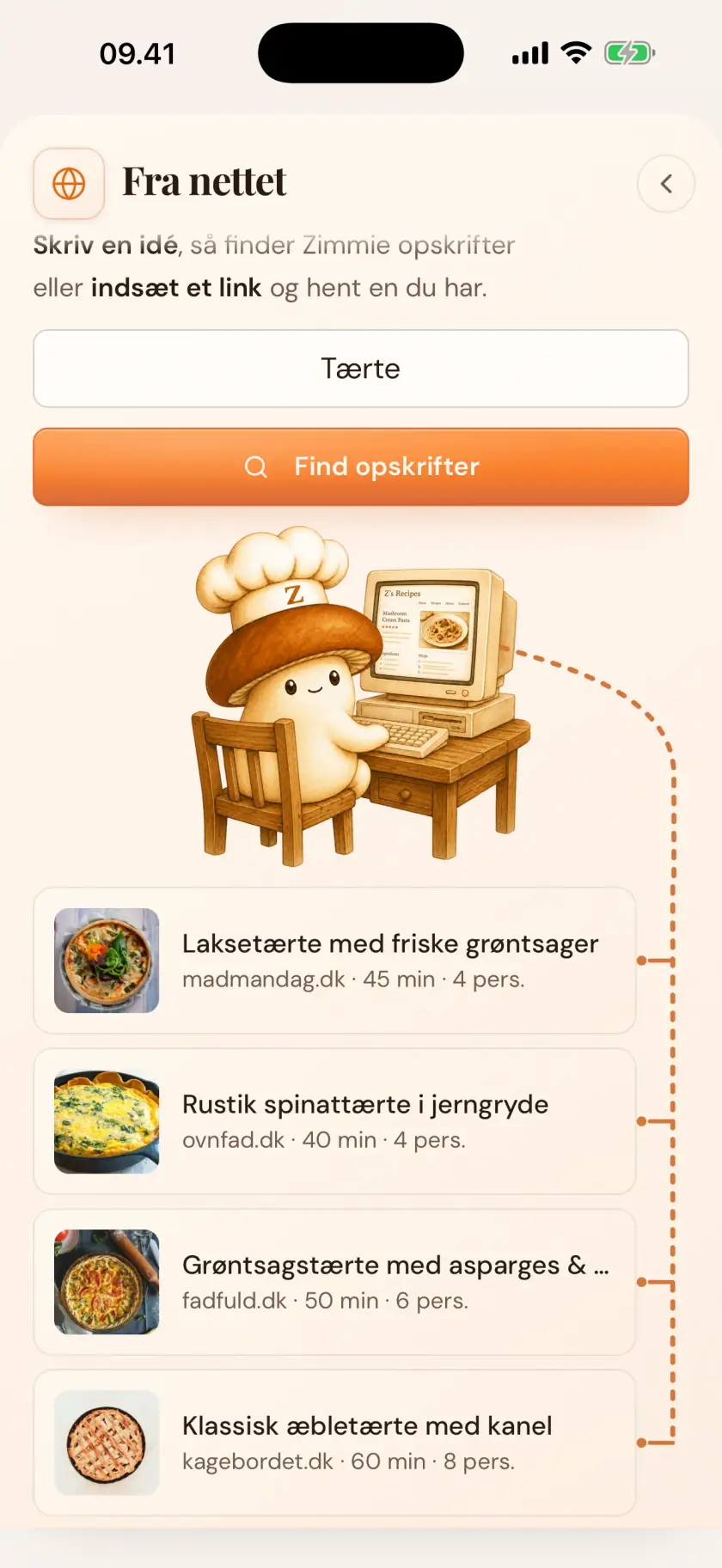
Share a link from any recipe site — foreign ones too, translated as it goes. Share a food video, take a photo of the page in your cookbook, or type it yourself. Whichever way in, the recipe ends up in the same place: ingredients, amounts and steps in place — ready for the meal plan, in your book.

Every way in

Share a link — or a video, a photo

Share a link and Zimmer reads the recipe off the page — foreign sites too, translated as it goes. Share a food video and it watches and listens along. Take a photo and it reads the page in your cookbook, or recognizes the dish on the plate. Whichever way, the recipe ends up in the same place.

  1. Share the link, video or photo
  2. Zimmer reads out the recipe
  3. The dish lands in your book
What lands

The dish comes in finished

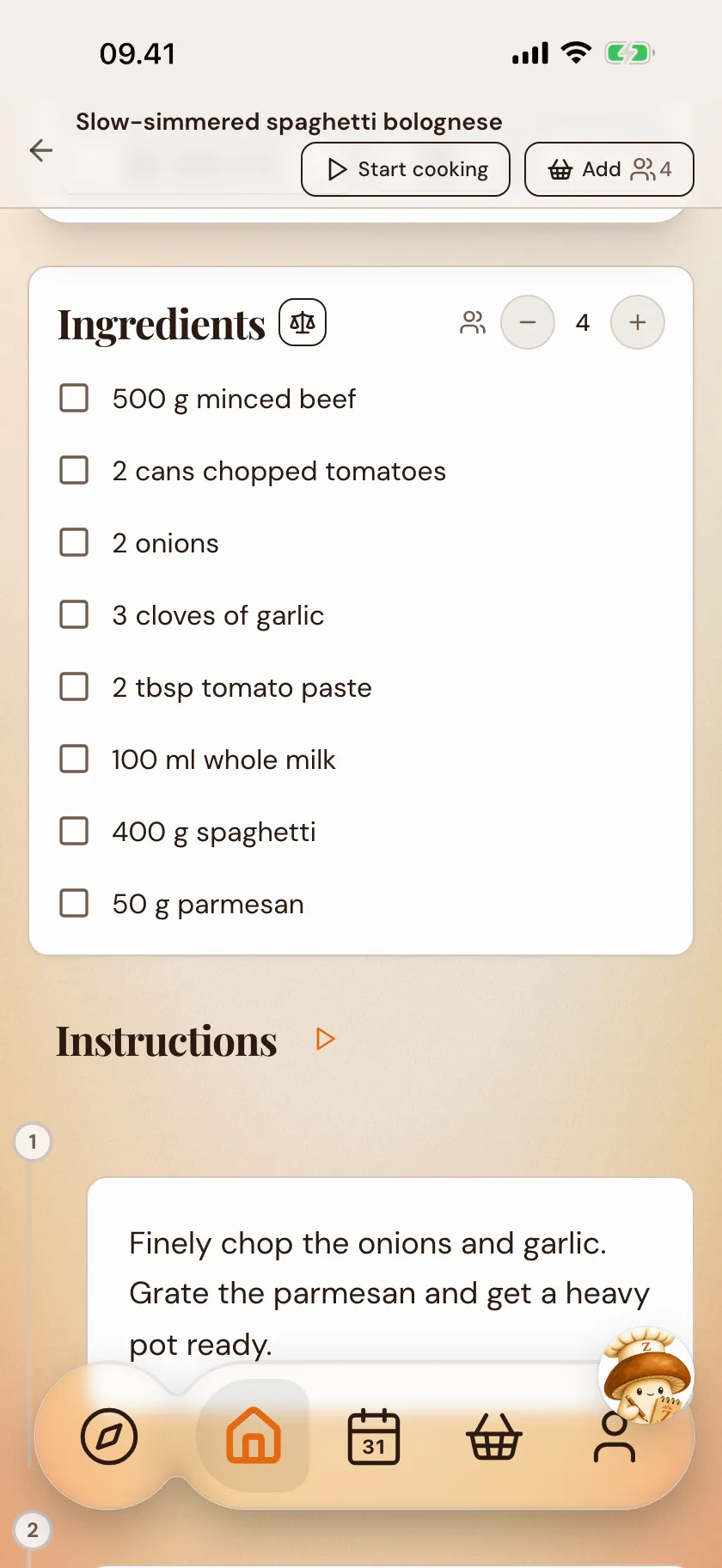
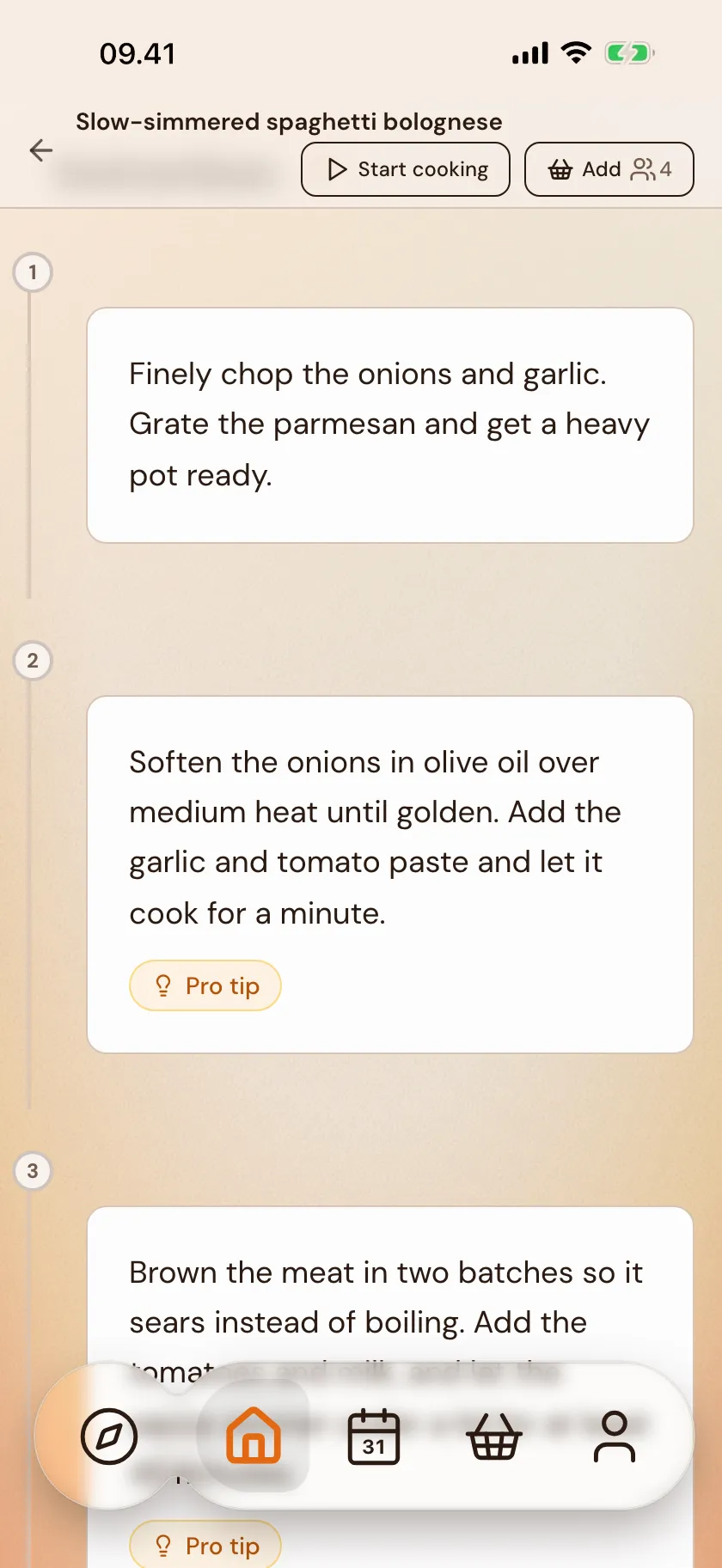
Ingredients, amounts and steps are read out and laid out neatly — not just a block of text. Time and servings come along where they're there. If a link is missing the steps, Zimmie writes them out from the real ingredients. The dish is ready to go on the meal plan, and to cook in cooking mode.

  1. Ingredients and amounts in place
  2. Steps to follow in the kitchen
  3. Ready for the meal plan
Yours — and to share

Your own — and new things to try

What you pull in is your own — it lives privately in your books, not in the feed. But it's your call: share a dish with a friend, look in on what they share, and find new things to try in Explore whenever you feel like it.

  1. Your own, private in your books
  2. Share a dish with a friend
  3. Find new dishes in Explore
In — and out again

A kitchen with no locked doors

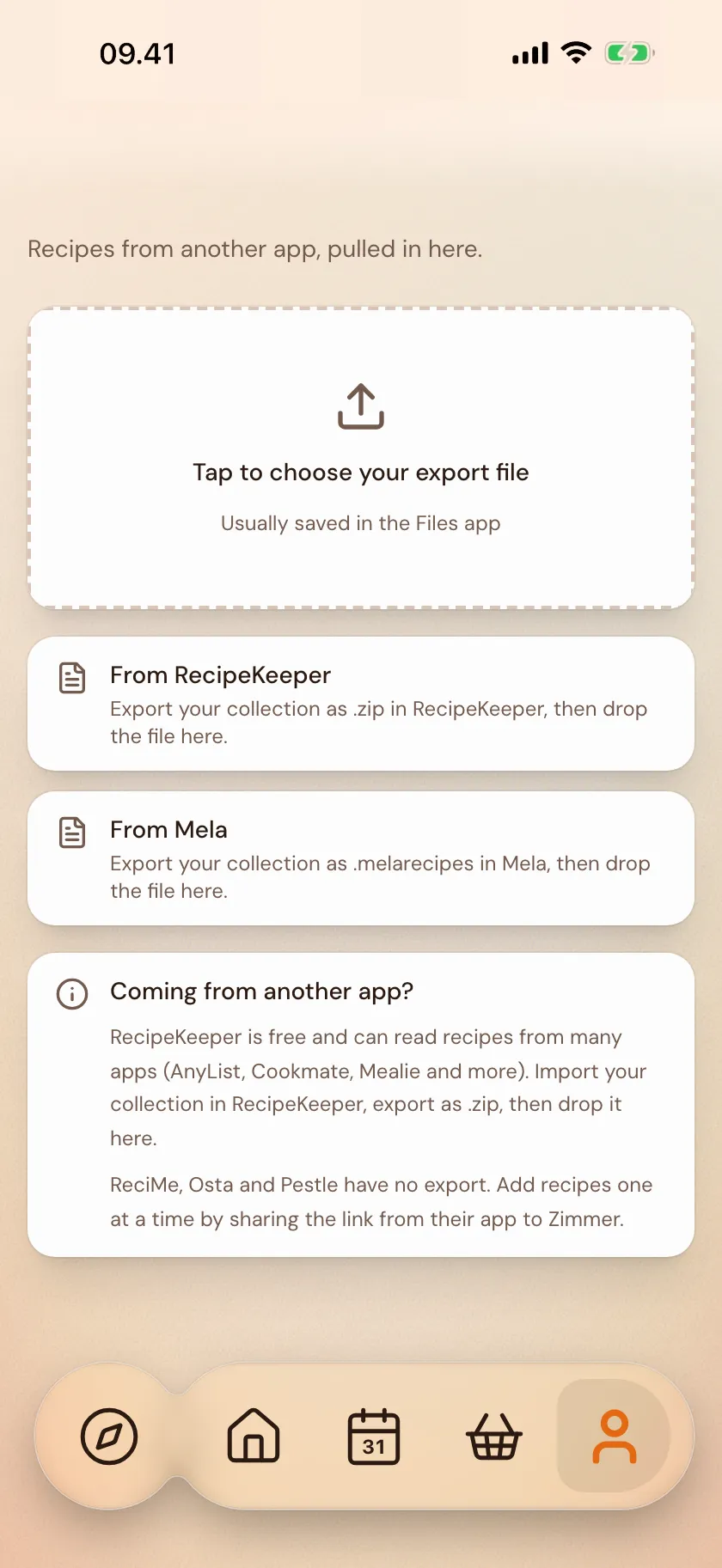
Moving from another app? Zimmer reads the export file from RecipeKeeper, Mela and the like and gathers the recipes into a new book. And your collection is yours: you can pull your whole account out as a file whenever you want — recipes, books, lists and meal plans. No locked doors either way.

  1. Move a collection in from another app
  2. Share a single dish with a friend
  3. Pull your whole account out as a file
Questions & answers

Questions about import

More questions? There's more in the full FAQ.

Can Zimmer pull recipes from TikTok and Instagram?

Yes. Share the video with Zimmer the way you'd share it with a friend. Zimmer watches and listens and puts the recipe together with ingredients and steps. It also works with YouTube, Reels and screenshots of recipes.

Which recipe sites can I import from?

Zimmer can pull recipes from most recipe sites: Danish and international blogs, newspapers, and pages with the recipe in the text. If a site's in another language, Zimmer translates as it goes. If a site doesn't work, write to us. We'll take a look.

Are the recipes I pull in public?

No. What you pull in from your favorite places is your own. It lives in your cookbooks and can't be shared in Zimmer's feed. You decide for yourself whether to share a single recipe with a friend.

Can I move my collection from another app?

Yes. Export your collection from RecipeKeeper, Mela or similar, and drop the file into Zimmer. We read the file and gather the recipes into a new book. If your app has no export, add recipes one at a time by sharing the link.

More of Zimmer

The rest of the kitchen

Zimmie waving
Ready?

Gather your recipes — in one place.