Zimmer
Meal planning

Your week's meals, in place

Place dinners on the week's days yourself — or tell Zimmie what the week needs and adjust the draft until it fits. The shopping list follows along on its own.

Your week, your rhythm

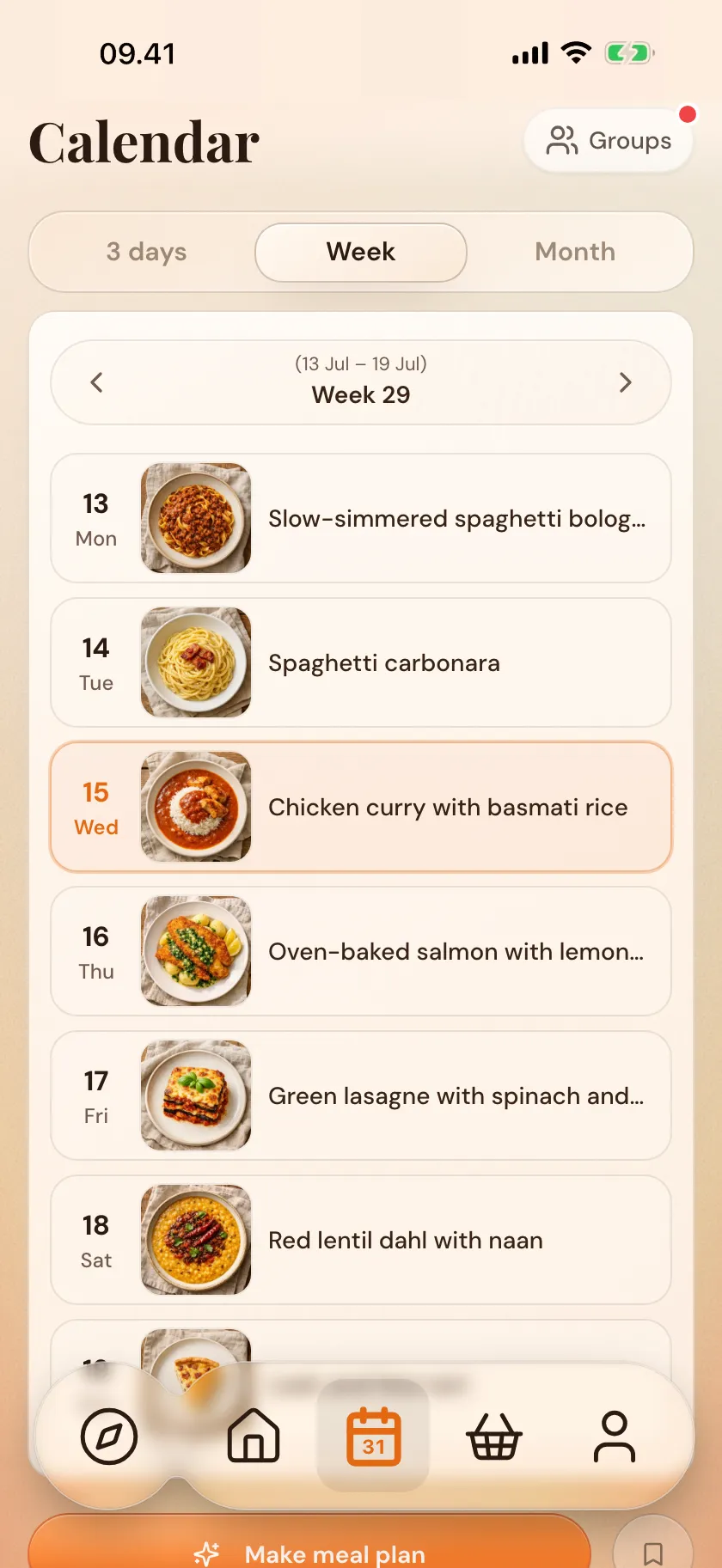
Place the meals — the week comes together

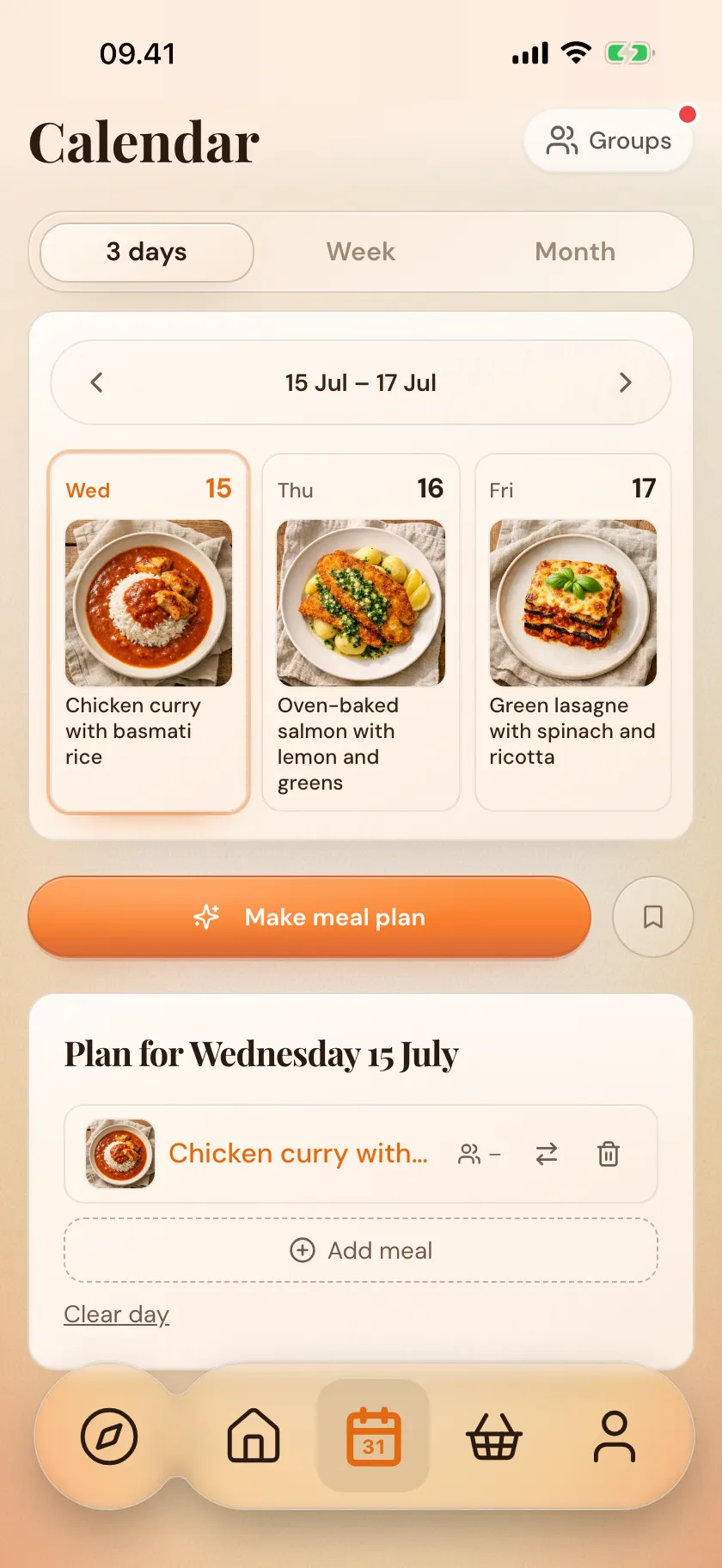
Pull recipes from your cookbooks into the calendar, and switch between three days, a week and a month as you need. If plans change, just move the meal — drag it to another day, even next week.

  1. Pick the recipes
  2. Place them on the days
  3. Move freely when plans change
Out of ideas?

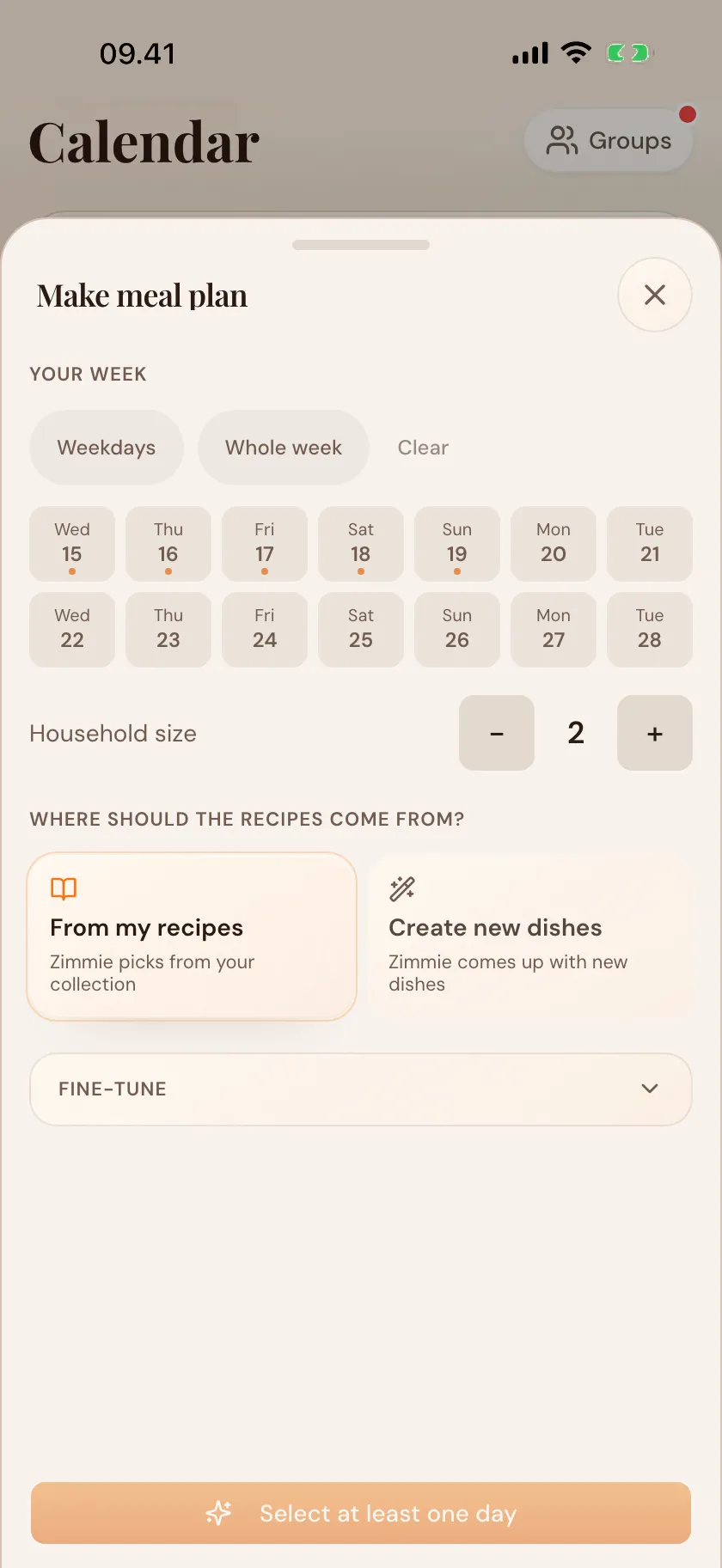
Say what the week needs — Zimmer puts a draft together

Tell Zimmie what you feel like, how many you are, and which days to fill. It puts a draft together for you to look through and move around. It needs your wishes to get it right — and the more you use Zimmer, the better it knows your taste. It suggests; you choose.

  1. Say your wishes and the days
  2. Look through the draft
  3. Choose, adjust and save
The weeks you know

Your meal plans, all in one place

The week that just works doesn't need building again. Save it as a meal plan and bring it back — busy weeks, weekends with guests, your steady weekday rhythm. Drop a saved plan straight into the calendar whenever the week looks like it.

  1. Save a week you like
  2. Find your plans together
  3. Drop it back in when it fits
For exactly your table

Portions that fit — the amounts follow

Set the number of people for each meal: two on a Tuesday, six when guests come Saturday. The amounts scale with it — and the number follows to both the shopping list and the calendar. If it changes along the way, you just adjust.

On your Home and Lock Screen

The week at hand — even without opening Zimmer

Plan the week once and let it work: today's dinner on your Home Screen and Lock Screen, the shopping list close at hand — and a calm dinner reminder at the time you choose. A widget for the whole week is on the way.

  1. Set the week
  2. Tonight's dinner on your Lock Screen
  3. A reminder when you want one
Questions & answers

Questions about the meal plan

More questions? There's more in the full FAQ.

Can Zimmer plan the week for me?

Zimmer puts a draft together, but it needs your wishes first — how many you are, what you feel like, which days. Your own recipes help, but they aren't required. The more you use Zimmer, the better it fits. You choose between the suggestions — and can ask to be challenged.

Can we share the meal plan at home?

Share a kitchen with a partner — you both see the calendar, recipes and groceries in one place.

What does it cost?

The meal plan is free to try — plan the week, scale portions, and let the shopping list follow along. Zimmer Plus gives you more when you're ready: save your meal plans and plan without limits.

Can I change the week easily along the way?

Yes. Drag the meals around the calendar and adjust, or make a whole new plan. The list follows. The plan is an overview, not a contract.

More of Zimmer

The rest of the kitchen

And the groceries? Once the week is set, the list gathers itself — see the Shopping list.

Zimmie waving
Ready?

Less time on the list. More time at the table.