Zimmer
Meal plan · Shopping · Recipes

Less to plan,
more to explore.

Pull in recipes from links, photos and videos, and drop them into the week. The list writes itself — so you've got time to discover something new.Bring your recipes in, plan the week — with time to discover something new.

Anything can come along

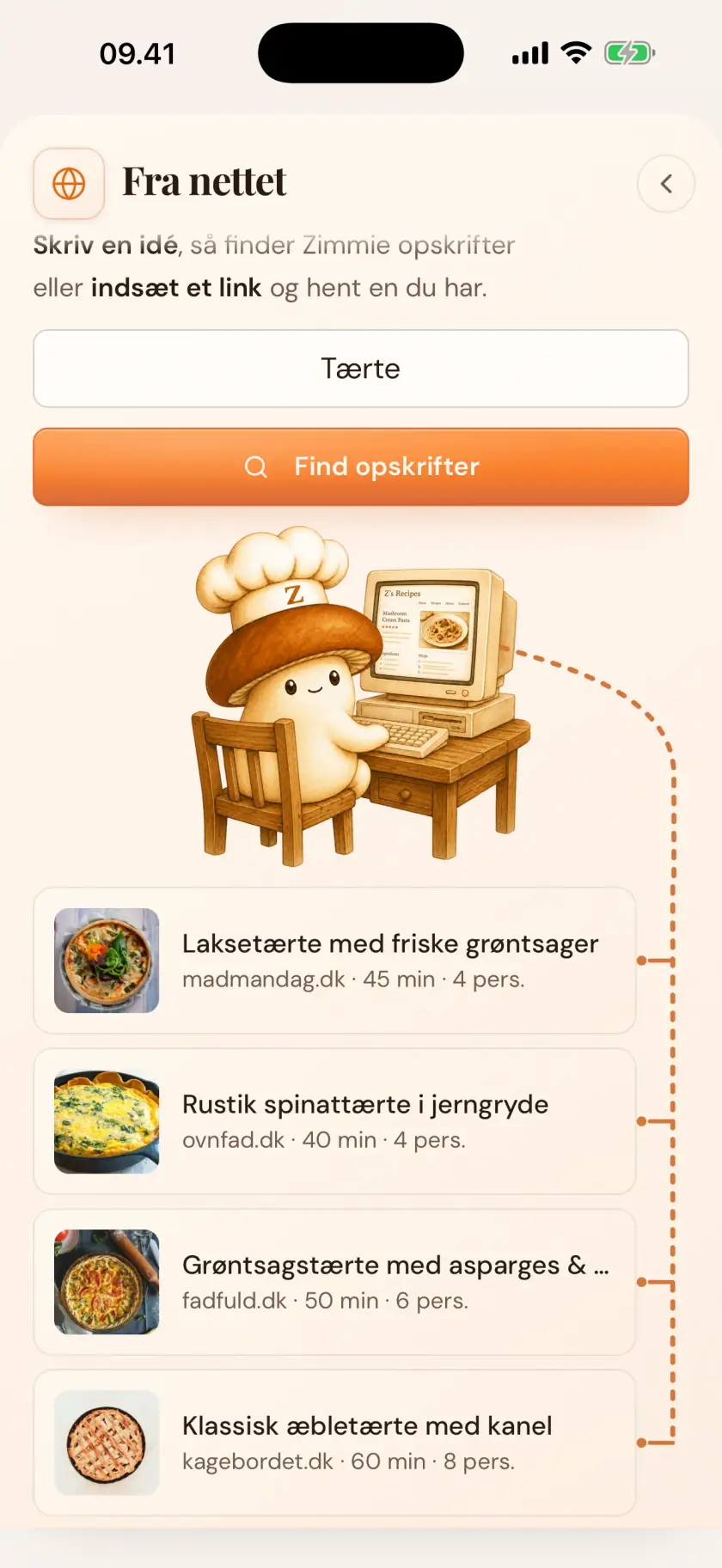
Share a link — the recipe's in place

From blogs and social media, or pull it from a photo, a video or a cookbook page. Already collected recipes in another app? The whole collection can move over. And you can always take them with you again.

  1. Share the link
  2. The dish is pulled in
  3. Browse or plan
More about import

Don't have a recipe on hand? Take a look in Explore!
Danish classics and everyday favorites, ready for your week.

The week comes together

A meal plan of your recipes

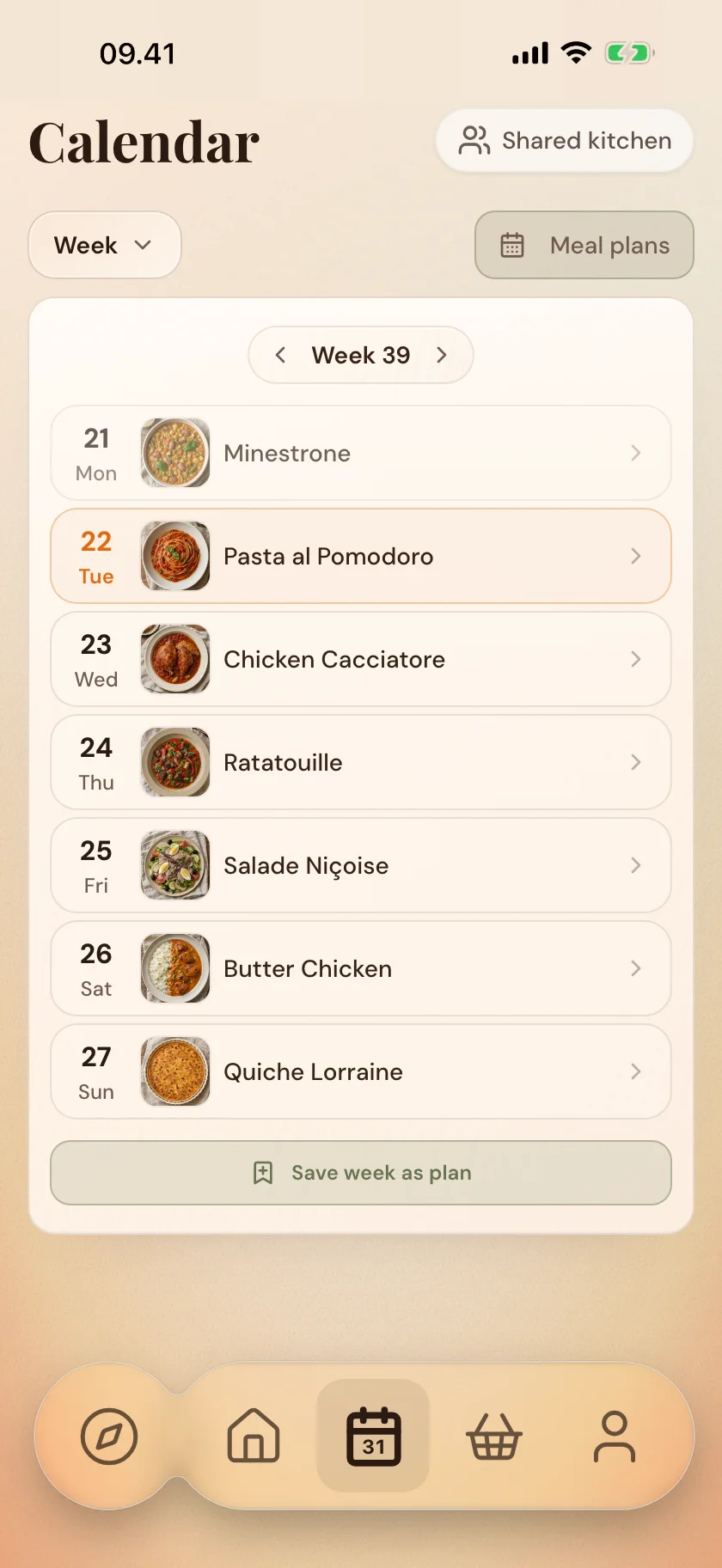
Put your own dishes on the week's days, or say what you feel like — and Zimmie fills out the week from your own collection. Save meal plans as templates and pull them back up easily later.

  1. Put dishes on the days
  2. Or type the week's wishes
  3. Save the week as a template
More about the meal plan
From plan to store

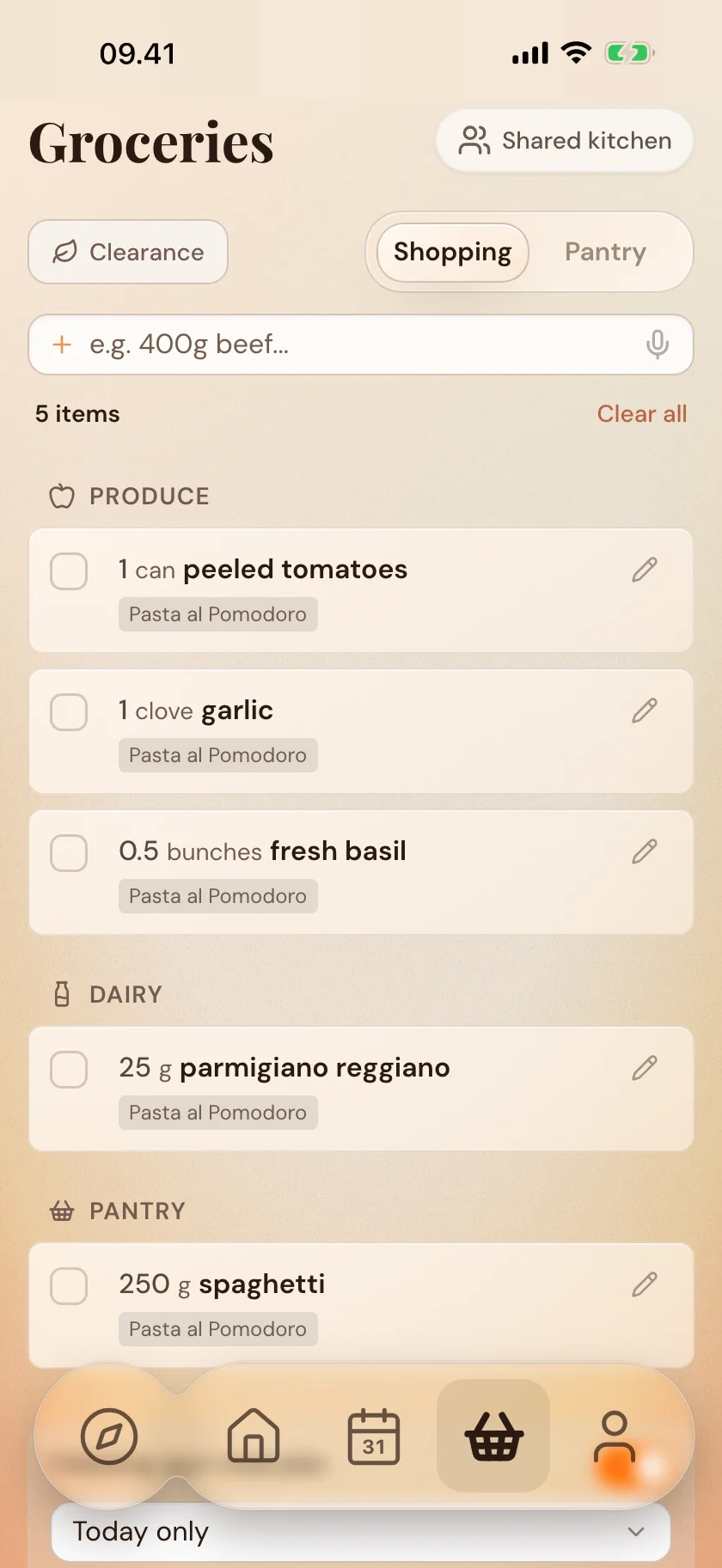
The list writes itself

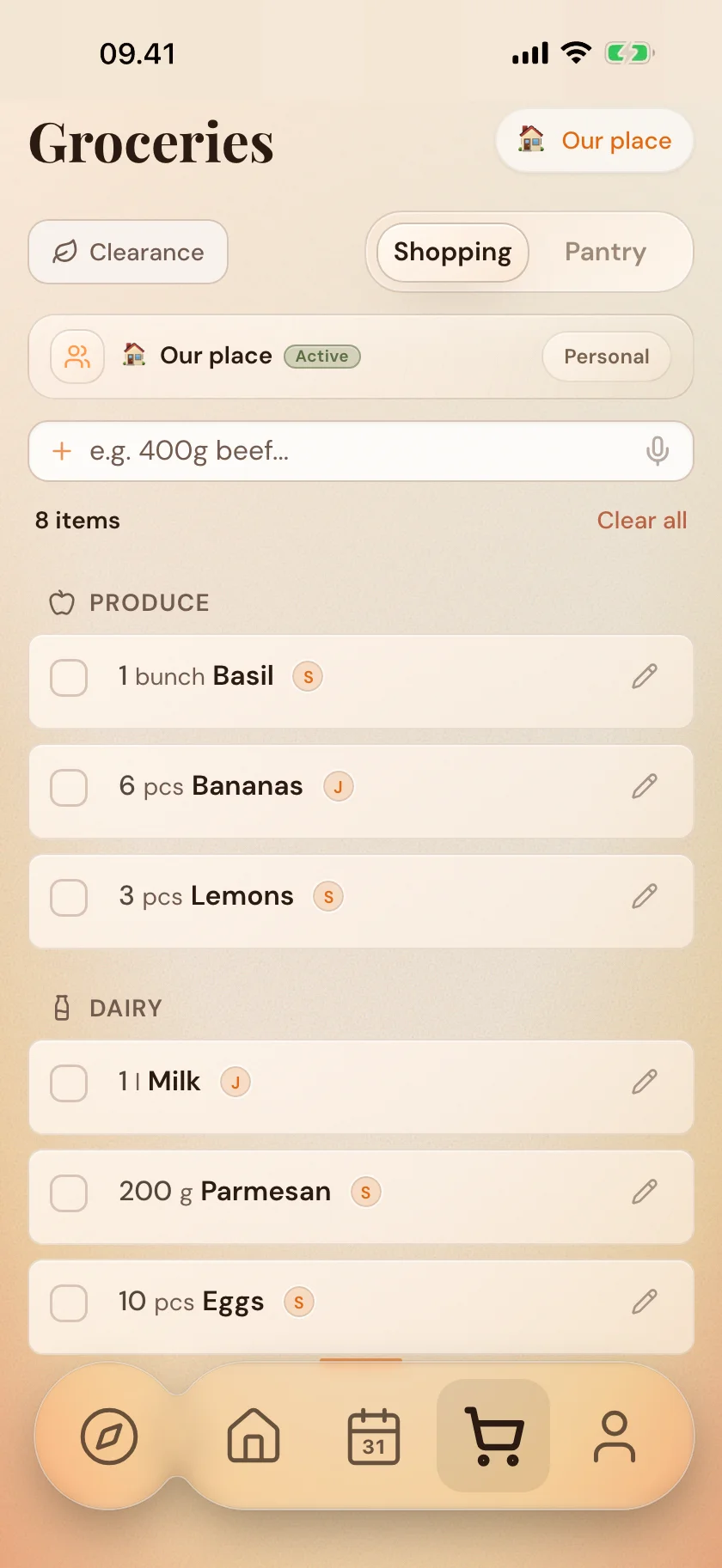
The items from the week's dishes gather on the list, sorted by aisle, so it's easy to work through in the store. 

Scan the receipt once you've shopped, so the pantry knows what you came home with.

  1. The list gathers itself
  2. Shop by aisle
  3. Scan the receipt
More about the shopping list
When you're at the stove

You get better, one step at a time

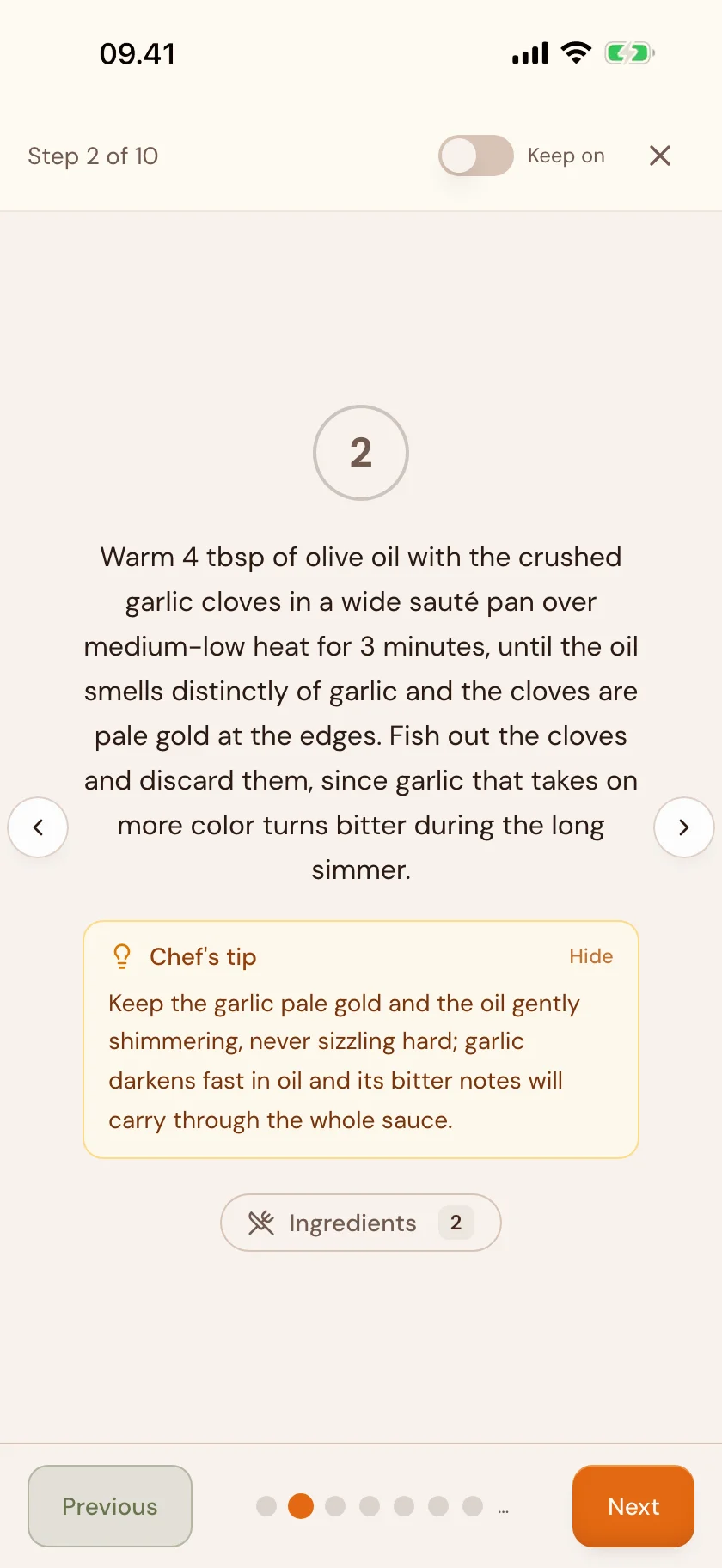
Every step in the recipe can unfold with small tips from the kitchen, so you learn something dish by dish. When it's time to cook, one step shows at a time, full screen, at your own pace.

As you learn, Zimmer gets to know you — and can offer suggestions, good advice and insight into how you plan and cook.

Got a question along the way? Zimmie answers — it knows your recipes, your week and your pantry.

More about cooking
Together on the week

One kitchen — even when there are more of you

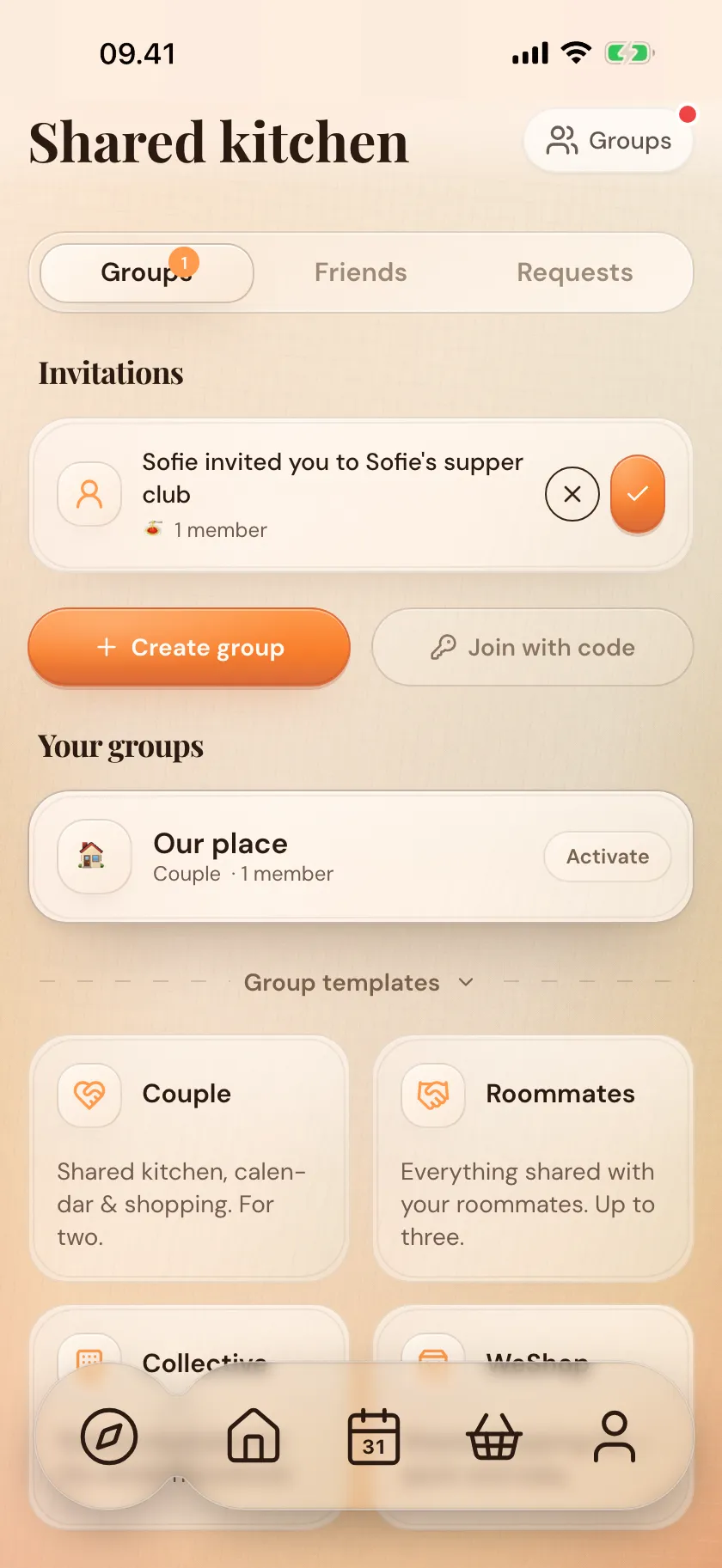
Share the meal plan, shopping list and pantry with the people you live with — or maybe your supper club? 

Everyone can add dishes to the plan and write on the shopping list. Send and share recipes with friends easily, book by book.

  1. Invite the people you live with
  2. Plan and shop together
  3. Send recipes to friends
More about sharing
The bits around it

The little things that make everyday easier

From lock-screen widgets to Salling deals in the shopping list: the things that make everyday a little easier are already here.

Shared and private cookbooks

Share a book with the people you cook with, or keep a private one just for you. It sits alongside your others, out of everyone else's sight.

Widgets on home & lock screen

Today's dish and the shopping list on home and lock screen. With Siri Quick Actions you can reach the essentials without opening the app.

A pantry, so you know what you've got

Keep track of pasta, cans, spices and what's in the freezer. A glance before you shop, so you don't come home with three tins of tomatoes when there are already two.

Salling deals in the list

Zimmer matches your shopping list against yellow-sticker items in Salling stores. Save money, and save food from the bin.

What Zimmer is built on

We build it together

Your wishes steer the roadmap

Send suggestions right in the app, and see what others are asking for. The most-wanted ones rise to the top of the pile, and you can follow along with what's being built.

The maker behind Zimmer

One developer who needed the app himself. Read why Zimmer exists, what it should do, and where it's headed.

Read the story
Try it free
01Saved recipes

Share a link
the recipe's in place

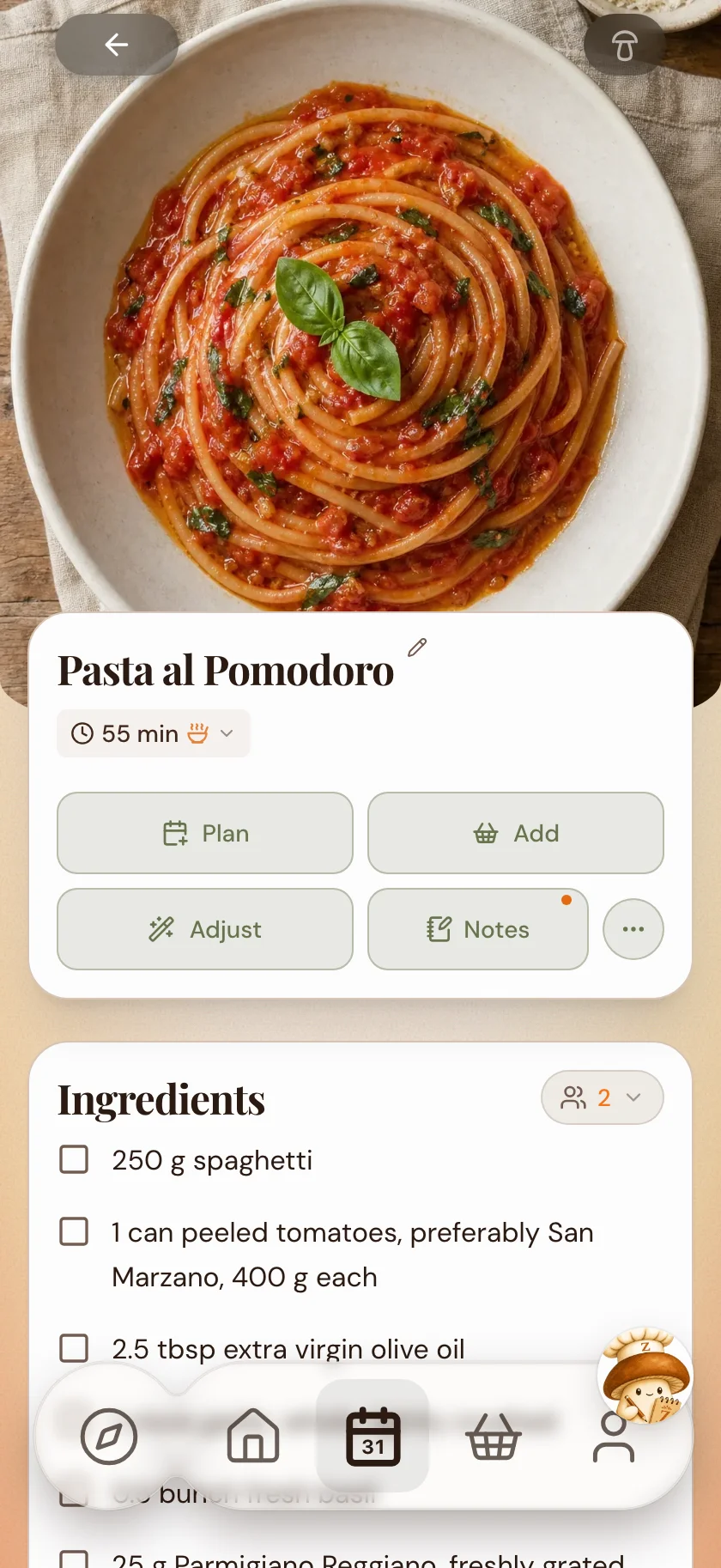
Recipe imported into Zimmer via a shared link

Share from a blog, newspaper or Instagram — or bring the whole collection over from another app. Zimmer gets the recipe ready for the meal plan.

Don't have one on hand? Take a look in Explore!
Danish classics and everyday favorites, ready for your week.

Try it free
02The meal plan

A meal plan of your recipes

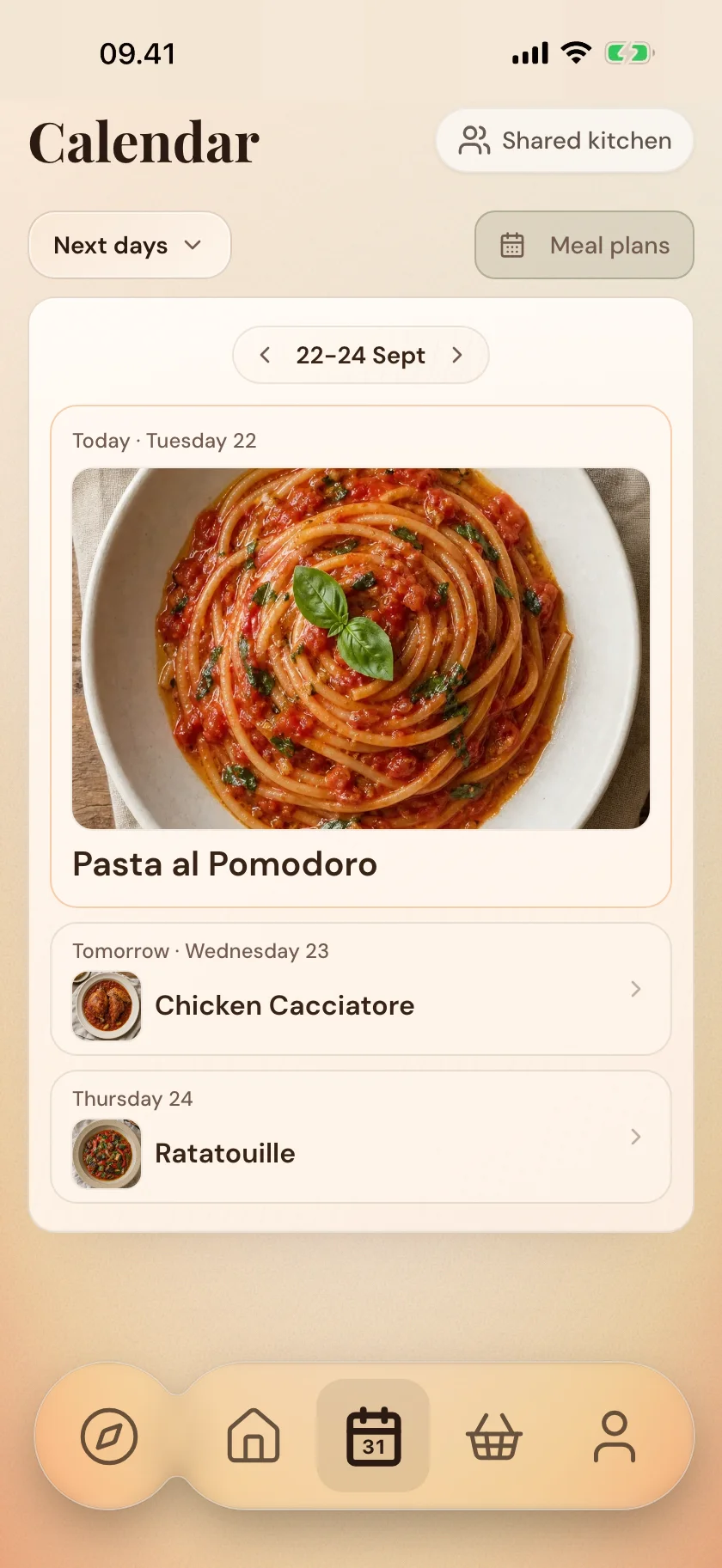
The week's meal plan in the Zimmer calendar

Fill in the week's days yourself, or say what you feel like — Zimmie fills out the week from your collection. Save the week as a template.

03The shopping list

The list writes itself

The shopping list in Zimmer, sorted by aisle

The items from the week's dishes gather on the list, by aisle. Photograph the receipt once you've shopped — and the pantry follows along.

04Learning

You get better

A recipe step unfolded with a small tip from the kitchen

Every step in the recipe can unfold with small tips from the kitchen: why the onions need time, when the pan is ready.

Zimmer doesn't cook for you.
It makes you better at it.

And got a question along the way? Zimmie answers — it knows your recipes, your week and your pantry.

05Sharing

One kitchen —
even when there are more of you

A shared shopping list in Zimmer — everyone can see who added what

Share the meal plan, list and pantry with the people you live with — and see who added what. And share recipes with friends, book by book.

Try it free
The bits around it

Little things that make everyday easier

Widgets, pantry and shared books live in the same place as the meal plan.

We build it
together

Your wishes steer the roadmap

Send suggestions in the app, and follow what's being built.

The maker behind Zimmer

One developer who needed the app himself. Read the story →

Try it free
Questions & answers

What you'll probably want to know

What does Zimmer cost?

Zimmer is free to try. Recipes, the meal plan, shopping list and pantry are free to use. Zimmer Plus gives you unlimited Zimmie chats and the full Test Kitchen, where new recipes come to life. Try Plus free for 14 days.

Does Zimmer work on Android?

Not yet. We're starting on iPhone and iPad. Sign up for the Android waitlist at support@zimmerfood.com, and we'll let you know when it's ready.

Which recipe sites can I import from?

Zimmer can pull recipes from most recipe sites: Danish and international blogs, newspapers, and pages with the recipe in the text. If a site doesn't work, write to us. We'll take a look.

Can I share with my family?

Yes. Share a kitchen with a partner, family, housemates or whoever you shop with. Everyone sees the calendar, recipes and shopping live.

What's under Explore?

Zimmer's collection of dishes with photos: from classic Danish dishes to international favorites. Browse through, and drop what you fancy straight into the week's plan.

What exactly is Zimmie?

Zimmie is Zimmer's little kitchen helper — a mushroom in a chef's hat. You can ask Zimmie to build meal plans, suggest recipes from what you have on hand, and add items to the shopping list. Type or talk to Zimmie in plain English.

Will I get better at cooking with Zimmer?

That's the idea. The recipe steps can unfold with small tips from the kitchen: why the onions need time, when the pan is ready. Zimmer doesn't cook for you; it makes it easier to get good at it.

Where is my data stored?

Your recipes and meal plans are tied to your account and sync across your devices. We don't sell your data and we don't use third-party tracking. Read more in the privacy policy.

Zimmie waving
Ready?

Less time on the list. More time at the table.

Download on App Store

Android's coming. Join the waitlist.