Zimmer
Cooking

Get better at cooking

Zimmer doesn't cook for you — it makes it easier to get good at it. The recipe step by step while you're at the stove, small tips from the kitchen in the steps, and an app that remembers your taste.

When you're at the stove

The recipe step by step, one at a time

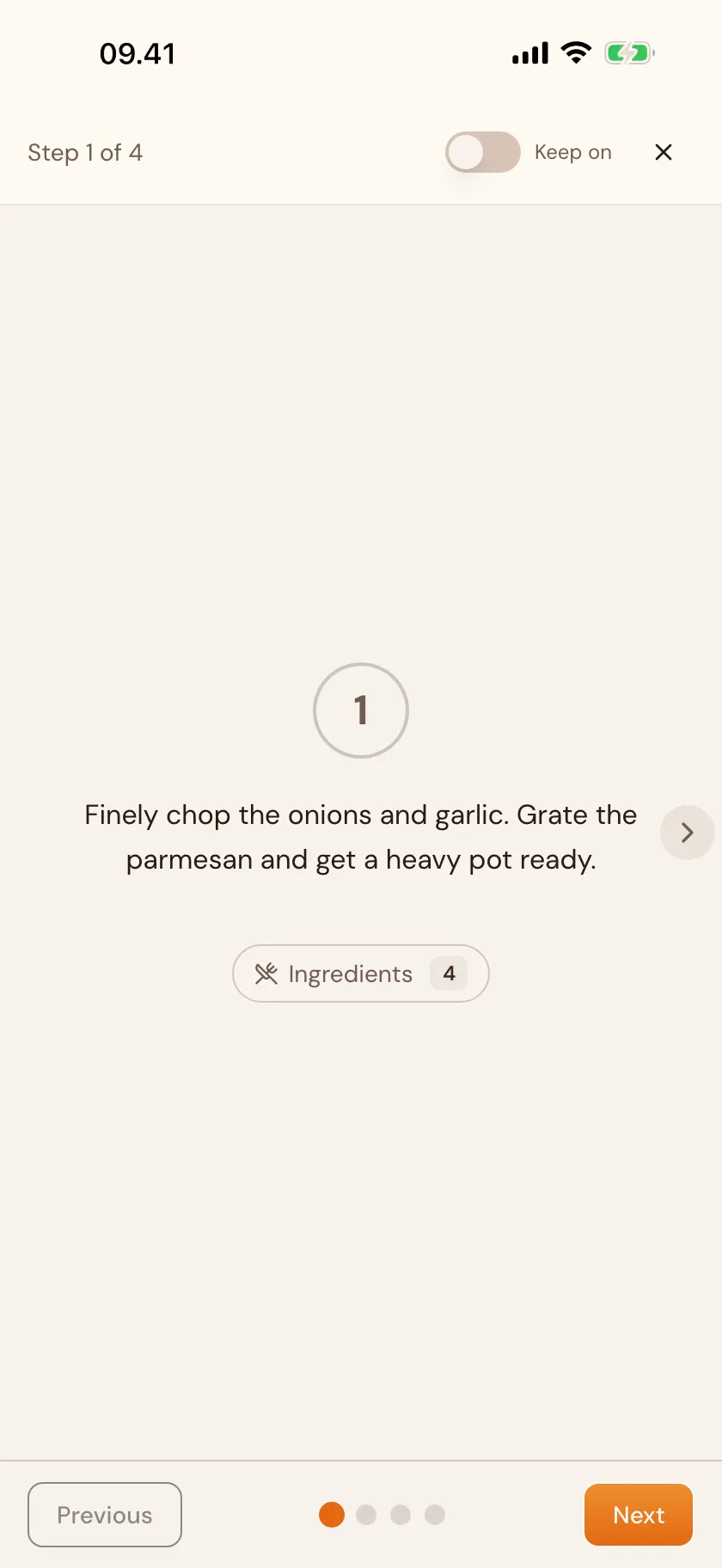
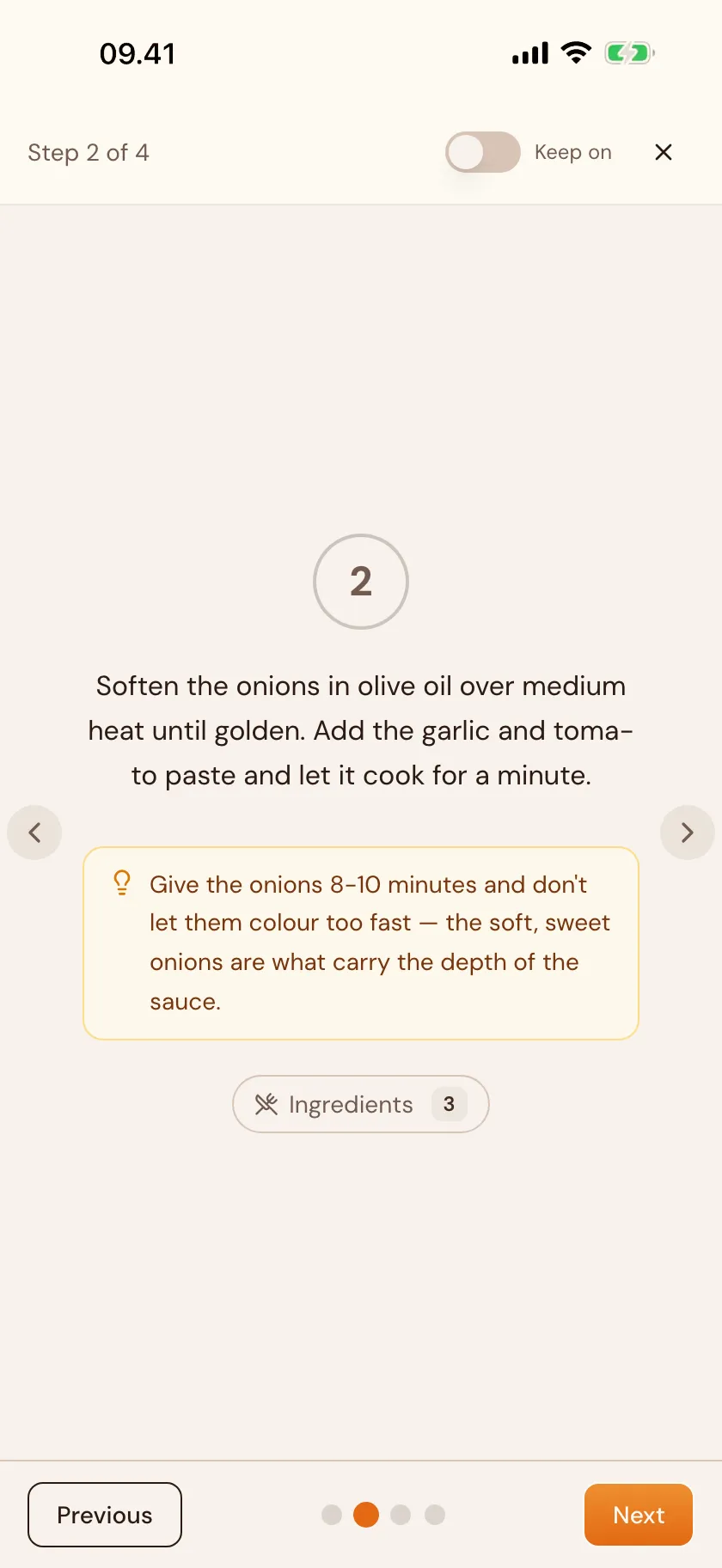
Tap the play icon on a recipe and Zimmer shows one step at a time in full screen — easy to follow while you cook. Tap or swipe to move to the next step. And you can keep the screen on, so it doesn't turn off while your hands are dirty.

  1. Tap play
  2. Follow one step at a time
  3. Tap or swipe to the next
Small tips from the kitchen

The steps expand with a small tip

Before you start, you can get a short overview of small tips — right where they matter. They sit in the steps themselves and fit the dish you're actually making. Small things that stick for next time you make it.

  1. Get the overview and tips
  2. Expand a step
  3. Read the tip as you cook
It learns with you

Zimmer remembers your taste

The more you cook, the better it knows you. Your taste profile reads the patterns in your own dishes, your favourites and your meal plans, and uses them to suggest better. Over time it writes a small portrait of your taste on its own page. You can always see, edit or delete everything it knows.

The same understanding makes the rest of Zimmer easier to be in. We're building toward small, helpful nudges — noticing two dishes you've planned for the same day, or suggesting you tag a recipe you use often so it's easy to find again. Not promised yet; it's ahead of us.

  1. Cook the way you usually do
  2. The profile gathers the patterns
  3. The suggestions fit better
On the way

What we're building toward

The learning should grow deeper over time. We're looking at meeting you where you are — dishes that fit how practised you are, and small technique notes that stick. Nothing promised yet; it's ahead of us, and we're building it calmly.

Questions & answers

Questions about cooking

More questions? There's more in the full FAQ.

Will I get better at cooking with Zimmer?

That's the idea — not by doing it for you, but by making it easier to learn. The steps in a recipe can expand with small tips that belong to the dish you're making. You follow one step at a time, and what you pick up along the way sticks for next time.

What is cooking mode?

Tap the play icon on a recipe and Zimmer shows one step at a time in full screen — easy to follow while you cook. Swipe to switch steps. You can keep the screen on so it doesn't turn off while your hands are dirty.

What are the small tips in the steps?

Before you start, you can get a short overview of small tips where they matter. They're made from your own recipes — the ones you write and the ones you import — so they fit the dish you're making. Small things that stick for next time.

Does Zimmer learn my taste?

Yes, if you ask it to. Your taste profile reads the patterns in your own dishes, your favourites and your meal plans, and gathers them into a small portrait of your taste on its own page. It's used to suggest better — and over time to make the rest of Zimmer easier to be in, like a quiet heads-up when two dishes land on the same day. You can always see, edit or delete everything it knows.

More of Zimmer

The rest of the kitchen

Zimmie waving
Ready?

One dish at a time. A little better each time.